
If you already trade crypto and now want a Binance trading bot to automate everything without learning to code, this guide is for you. Instead of repeating Binance’s marketing, I’ll walk you through how grid, DCA and even so‑called Binance AI trading bot strategies really behave when they touch your own money—and the mistakes beginners keep repeating in every market cycle.
By the end of this guide, you’ll know how to set up your first Binance trading bot safely and avoid the traps that blow up most beginners.
Why a Binance Trading Bot Is Powerful (and Dangerous)
A Binance trading bot is software that sends buy and sell orders to your Binance account through API keys, based on rules or algorithms you choose. That might be a simple “buy dips, sell on rebounds” DCA strategy or a complex AI‑assisted futures grid that runs 24/7.
A good trading bot for Binance can help you:
- Capture volatility while you sleep instead of staring at charts all day.
- Stick to your plan and avoid emotional FOMO or panic‑selling.
- Run multiple strategies on different pairs at the same time, which is hard to do manually.
A bot becomes dangerous when:
- You don’t really understand the strategy or its risk.
- You give it withdrawal rights on your Binance API keys.
- You run a Binance futures trading bot with high leverage and no clear stop‑loss.
Think of bots as disciplined assistants. They execute your edge; they never magically create one for you.
Spot vs Futures: Choose the Right Battlefield
Before you connect any trading bot for Binance, you need to decide if you’re trading spot or futures.
Spot bots on Binance (best starting point)
- You buy and sell actual coins like BTC, ETH, BNB or SOL.
- There is no liquidation; coins can go down in value but they don’t disappear due to a margin call.
- Perfect playground for grid bots and spot DCA bots.
Example: a BTC/USDT DCA bot that buys a small amount every time price dips 3–5%, and takes profit once the position is 8–10% in profit.
Futures bots on Binance (for later)
- You trade contracts with leverage (2x to 20x or more).
- A sharp move against your position can liquidate you completely.
- Funding rates, volatility and slippage all matter much more.
Example: a 10x leveraged Binance futures trading bot on a meme coin can look amazing in a screenshot and still nuke your account with one big candle.
If you’re new, your safest path is:
- Start with spot DCA and spot grid on major pairs.
- Only explore futures bots when you can clearly explain margin, liquidation price and funding in your own words.
Step 1: Open and Secure Your Binance Account
If you don’t have Binance yet, set it up and secure it before touching bots.
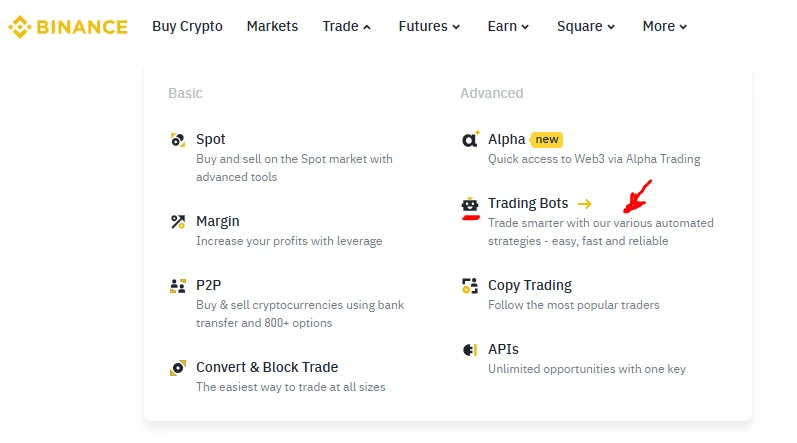
- Create your Binance account here:
Sign up to Binance
Then lock it down:
- Turn on strong 2‑factor authentication (Google Authenticator or a hardware key).
- Set an anti‑phishing code so fake emails and messages are easier to spot.
- Use a unique password you don’t reuse on any other site.
This is the same whether you’re in the US, EU, MENA or Asia. Regional laws change which products you see—not how you secure your account.
Step 2: Create Safe Binance API Keys for Your Bots
Any external Binance trading bots like 3Commas, Bitsgap, Coinrule, Cryptohopper or HaasOnline will use API keys.
Inside Binance:
- Go to API Management in your account settings.
- Create a new API key, e.g.
3commas-spot-bot. - Enable:
- Read
- Enable Spot & Margin Trading (for spot bots)
- Do NOT enable withdrawals. A normal trading bot for Binance never needs withdrawal rights.
- If your chosen platform supports fixed IP addresses, whitelist their IPs.
Any platform that asks for your seed phrase or insists on withdrawal access should be closed immediately.
Step 3: The Best Binance Trading Bots for Beginners in 2026
These are realistic, no‑code platforms that work as a Binance trading bot even if you’ve never automated a trade before.
1. 3Commas – Best Overall for Smart DCA on Binance
https://app.3commas.io/auth/registration?utm_source=referral&utm_medium=cabinet&c=tc22091173Commas is one of the most popular choices for running smart DCA bots and simple grid strategies on Binance.
Why it’s friendly for beginners:
- Clean interface with ready‑made DCA and grid templates you can copy.
- Deal‑based profit/loss view so you always know which bot is winning or losing.
- Works with global Binance and, in many regions, Binance US (always check the current exchange list).
Who it suits:
- Beginners who want a Binance trading bot that buys dips and sells when the position recovers.
- Traders who like the idea of running several DCA bots across BTC, ETH and strong altcoins.
Start with a small BTC/USDT DCA bot: a few safety orders, modest take‑profit, no martingale and no leverage.
2. Bitsgap – Strong Grid Bot With Clear “Number of Grids” Control
If you’re serious about grid trading, Bitsgap is one of the cleanest ways to run a grid trading bot for Binance.

What stands out:
- Very visual grid editor that draws every buy and sell level right on the Binance chart.
- Easy to adjust the number of grids and instantly see how that affects spacing and expected profit per trade.
- Supports both spot and futures grids once you’ve mastered spot.
How to think about the number of grids:
- Fewer grids (5–10):
- Wider distance between orders.
- Higher profit per completed cycle, but fewer trades.
- Better for very volatile pairs or wide ranges.
- More grids (20–40):
- Smaller steps.
- Lower profit per trade, but more frequent trades.
- Better for relatively stable, sideways ranges.
For a first ETH/USDT spot grid, a medium number of grids (around 20–30) across a 5–15% price band is a good starting point. You can tighten or widen it later based on real results.
3. Pionex – Built‑In Bots That Feel Close to Binance
Pionex is an exchange with 16+ built‑in bots, including spot grid, leveraged grid and DCA. It’s not Binance, but the experience is very similar.
Why it’s useful while you learn:
- No need for separate servers, VPS or complicated bot hosting.
- Very low fees, which matters if you run many grid orders.
- Great for small accounts and experimentation before you scale to your main Binance balance.
You can practice a $50–100 BTC/USDT grid on Pionex, then replicate what you’ve learned on your actual Binance trading bot later.
4. Coinrule – No‑Code “AI‑Style” Rules for Binance
Coinrule lets you build rules like:
- “If BTC drops 4% in 24 hours, buy 50 USDT.”
- “If RSI goes above 60 and price is above the 200‑day MA, sell 30% of holdings.”
That makes it perfect if you want to design your own Binance AI trading bot logic without writing code.
It fits traders who:
- Have outgrown basic grids and DCA.
- Want a trading bot for Binance that behaves exactly according to rules they understand.
- Prefer clear, human‑readable conditions over black‑box indicators.
5. Cryptohopper & HaasOnline – Advanced Once You’re Comfortable
Once you’re experienced, you can experiment with more advanced Binance trading bots:
- Cryptohopper – strategy designer, AI optimization tools and a marketplace of signals.
- HaasOnline – extremely powerful, but with a steeper learning curve, ideal if you already backtest strategies.
These are not where beginners should start. One simple, profitable BTC/USDT spot grid is worth more than five AI dashboards you don’t really understand.
Step 4: Build Your First No‑Code Grid Bot on Binance (Step‑by‑Step)
Here’s a practical template you can use for your first grid bot.
- Pick a liquid pair – BTC/USDT or ETH/USDT.
- Choose your platform – Bitsgap or Binance’s own spot grid bot.
- Define your price range – look at the 1‑hour or 4‑hour chart and pick, for example:
- Lower limit: 5–7% below current price.
- Upper limit: 5–7% above current price.
- Set the number of grids – start around 20–30 grids across that range.
- Use a neutral grid – equal buy and sell orders so the bot stays balanced.
- Stay on spot (no leverage) for at least the first month.
As price moves inside your grid, the bot buys on lower steps and sells on higher steps, banking many small profits instead of chasing one huge trade.
Short Note on “Binance Pi Network” and Hype Coins
You might see people searching for topics like “binance pi network” or hyping projects that “will be listed soon, so run bots now”. That’s how many beginners get trapped.
For your first few Binance trading bots, focus on:
- Coins that are already listed and actively traded on Binance.
- Tight spreads and strong liquidity.
- Clear volatility up and down, not just a one‑way crash.
Once you have months of data on BTC, ETH and a few strong alts, you can decide whether running bots on speculative listings is worth the extra risk.
Step 5: How Binance AI Trading Bots Really Fit In
“Binance AI trading bot” sounds exciting, but in most cases AI means:
- Using models to generate or filter trade signals.
- Auto‑tuning parts of your grid or DCA settings.
- Ranking which coins or strategies are currently performing best.
How to use AI safely:
- Keep final control: let AI suggest, but only execute rules you understand.
- Start on spot, not on leveraged futures.
- Cap max position size per AI strategy, so one bad day doesn’t wreck your account.
Think of AI as a way to refine entries and exits, not as a replacement for basic risk management.
Step 6: Risk Management Rules That Actually Keep You Alive
Here are boring but critical rules that help across all regions and account sizes:
- API keys: never give withdrawal rights.
- Position sizing: keep each bot to 5–10% of your total portfolio, or less when you start.
- Diversify timeframes and pairs instead of going all‑in on one setup.
- Review bots at least once per day—these are tools, not “set and forget” pensions.
- In stricter jurisdictions (US, EU, UK), make sure a Binance US trading bot or local product is allowed before you connect anything.
On the back‑office side:
- Use CoinLedger to simplify tax reporting on your bot trades.
- Use Coupler.io to pipe Binance data into Google Sheets or dashboards so you always see real PnL, not just screenshots.
Step 7: What If You Also Trade on Bybit or MEXC?
Even if Binance is your main exchange, traders in many regions like to split volume:
- Bybit – strong for derivatives; many grid and DCA bots support it alongside Binance.
- Open your account: Sign up to Bybit
- MEXC – wide altcoin list and frequent listings, interesting for more aggressive bots on smaller caps.
- Open your account: Sign up to MEXC
You can run conservative bots on Binance and keep experimentation (meme coins, new futures pairs) on Bybit or MEXC with less capital.
Want to Go Deeper Into Specific Trading Bots?
If you’re interested in a Binance trading bot but still deciding which platform fits your style, I’ve written separate deep‑dive reviews that go into features, pricing, and real pros/cons for each tool.
- Read my full 3Commas review to see how its DCA bots, smart trading terminal, and copy strategies work in practice.
- Check the Bitsgap review if you want to understand grid performance, the impact of the number of grids, and how their backtesting compares to Binance’s built‑in bots.
- Explore the Pionex review for a closer look at its built‑in grid and DCA bots, including which ones make sense for small accounts.
- See my Coinrule review if you like the idea of building your own rule‑based or “AI‑style” strategies without writing code.
Each review includes real examples, settings breakdowns, and the risks nobody mentions in short marketing pages, so you can choose your first bot with a lot more confidence.
FAQ-About Binance trading bot strategies
What is the safest Binance trading bot strategy for beginners?
The safest strategy for most beginners is a spot grid or spot DCA bot on major pairs like BTC/USDT or ETH/USDT with no leverage. You avoid liquidations, use small position sizes, and let the bot earn from normal volatility instead of chasing extreme returns on high‑leverage futures.
How many grids should I use on my Binance grid bot?
There is no perfect number, but a simple rule is:
5–10 grids for very volatile coins or wide ranges (bigger profit per trade, fewer trades).
20–40 grids for more stable pairs and tighter ranges (smaller profit per trade, more trades).
If you’re not sure, start with a medium number of grids (20–30) and adjust based on actual results and fee impact.
Is there a free Binance AI trading bot?
You can find free tiers and trials on platforms like Coinrule or Cryptohopper that connect to Binance, but “free” usually means limited features, fewer bots or a trial period. Trading fees, slippage and market risk still exist. Any offer of a completely free Binance AI trading bot that “guarantees daily income” should be treated with extreme caution.
Can Binance trading bots work on Binance US?
Some external platforms support Binance US as a separate exchange with a reduced list of coins and products due to regulation. Always check the supported exchanges list inside your bot platform. If you’re in the US, start with simple spot bots on Binance US and make sure you comply with local laws.
Do Binance trading bots guarantee profit?
No. A Binance trading bot is just a tool to execute a strategy consistently. If the strategy is bad or market conditions change, the bot can lose money very efficiently. Sudden crashes, low liquidity, extreme trends and exchange outages can all hurt performance. Profitability comes from your risk management, pair selection and willingness to stop or adjust bots—not from the software alone.
How much money do I need to start a Binance grid or DCA bot?
The true minimum is dictated by Binance’s minimum order size for each pair and by how many grids or DCA steps you choose. On cheap coins with many grids, you might experiment with 20–50 USDT. On BTC or ETH with multiple grids, you may need 100–300+ USDT so every order clears the minimum. The bot or Binance interface will warn you if your chosen amount is too low.
Are Binance trading bots allowed in every country?
Binance supports trading bots via its APIs and built‑in tools, but what you are allowed to use depends on your local regulations. Some countries restrict futures, margin, or certain coins. Always check your local rules, especially if you’re in the US, EU, UK or other tightly regulated regions, before connecting bots or using leverage.
Final Checklist Before You Launch Your First Binance Trading Bot
Before you click “Start” on any Binance trading bot, make sure:
- Your Binance account is created, verified and secured with 2FA.
- Your API keys are read + trade only, with withdrawals disabled.
- You know whether your bot operates on spot or futures and what the worst‑case loss looks like.
- You can explain in one clear sentence how this bot intends to make money.
- You’re starting with an amount you can afford to lose while you learn.
Once you’ve collected a few weeks of real data from a simple, safe setup, you’ll understand far more about bots than someone who just reads promises about AI and passive income—and you’ll be ready to scale what actually works.